Designing a compliance-first SaaS that transforms dense legal complexity into intuitive workflows non-technical users can navigate confidently.
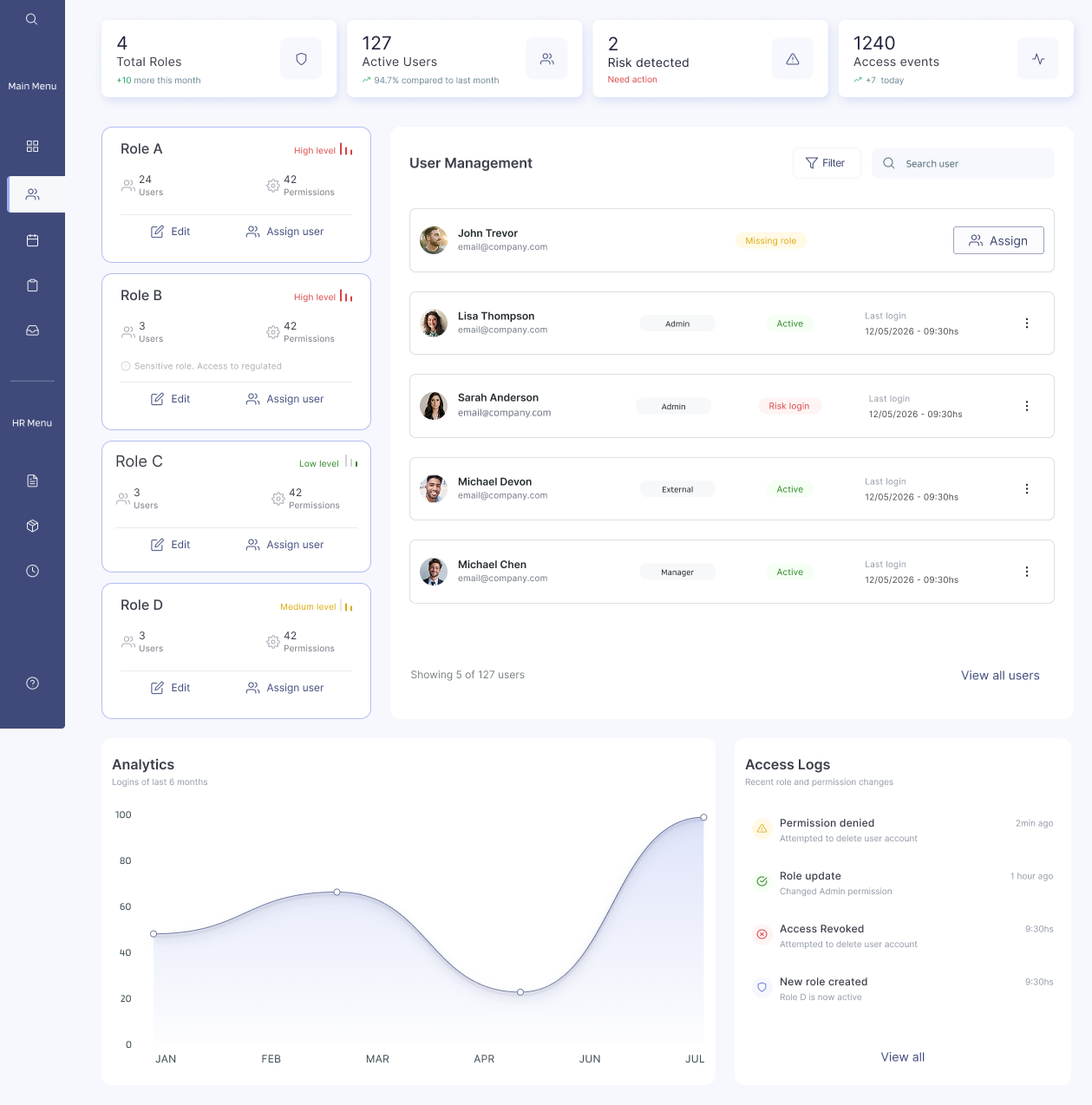
A law firm came to me with a real problem: their entire compliance operation lived in Excel. 850 rows. Manual reminders. Legal documents written for lawyers that non-legal staff had to somehow follow — without making a single regulatory mistake.
The ask was to turn that into a SaaS. But not just any SaaS — one that would cover GDPR, occupational health, HR processes and cross-departmental workflows, for multiple types of organisations, each with different roles, permissions and legal responsibilities. A product where getting it wrong had legal consequences.
I was brought in as Lead Product Designer and UX Architect. I owned the project end-to-end: reading the regulatory frameworks, translating them into product logic, defining the IA, designing all 10 modules, and working directly with stakeholders and engineering until it shipped.
- 850+ rows of Excel tracking certifications manually
- Legal documents written for lawyers, not end users
- Manual email reminders for every deadline and approval
- No visibility into who reviewed, approved or signed what
- Audit processes undocumented and error-prone
- Compliance enforced by structure — not user discipline
- Legal logic translated into guided, step-by-step UI
- Automated notifications based on real-time status
- Full audit trail built into every action
- Role-based access configured per organisation type
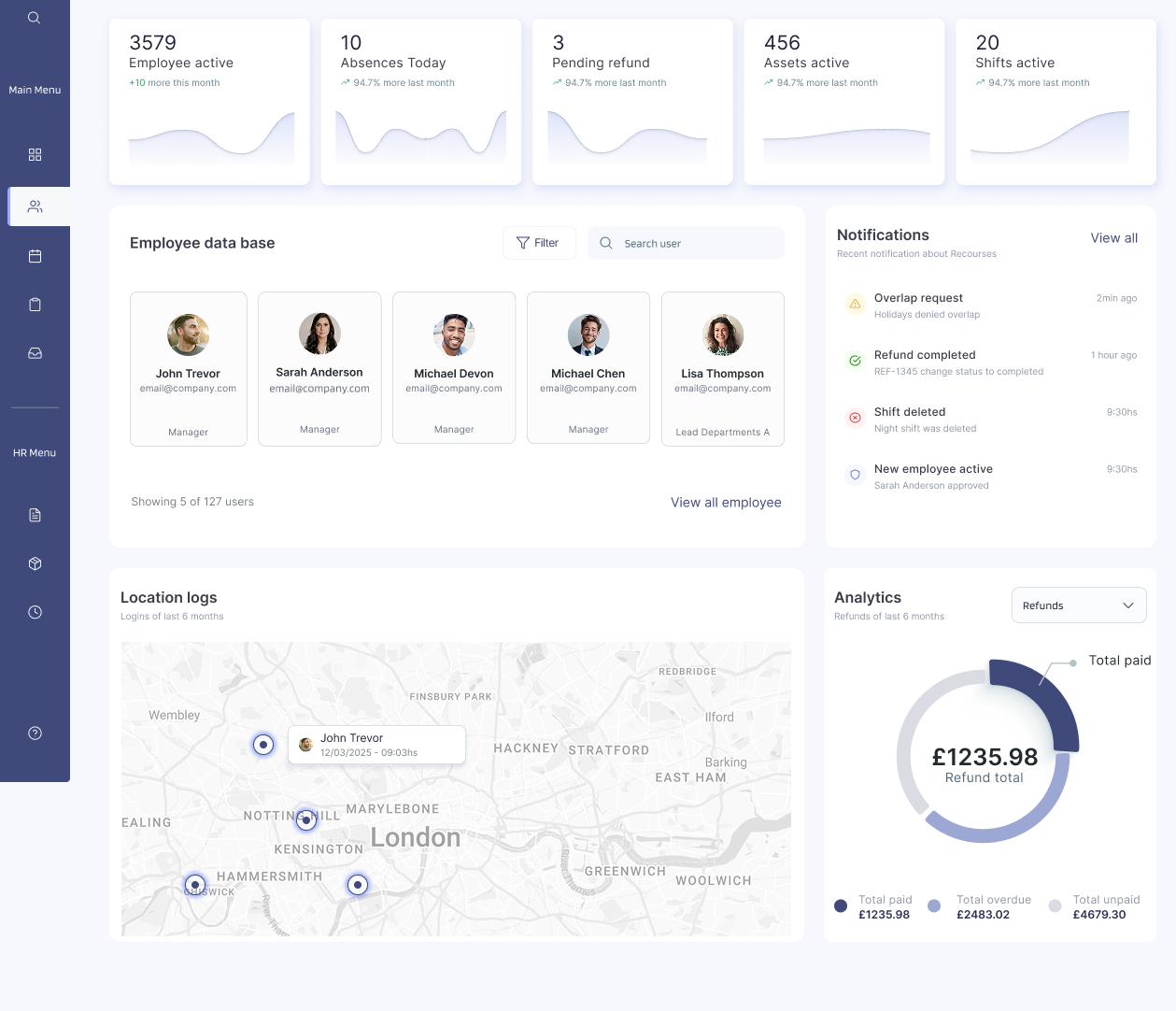
I owned product definition and UX architecture from day one through implementation. No handoffs — I was the single design voice across all 10 modules, working directly with legal experts, operations managers and the engineering team.
I spent weeks reading GDPR, occupational health law and internal compliance frameworks — extracting mandatory processes, validation rules and actor responsibilities before touching Figma.
Translated regulatory requirements into product structure: what each module needed to do, how 10 interconnected areas would share data, and where the legal constraints had to live inside the IA itself.
Built a configurable permission system where roles adapt per organisation — different navigation, different data, different actions — so access is baked into the architecture, not applied as a filter.
Acted as the bridge between legal experts who spoke in regulations, engineers who spoke in data models, and operations managers who just needed it to work — making abstract requirements concrete and shippable.
The core insight was that compliance can't be a warning layer. If you rely on users to read alerts, remember rules, and choose correctly — you've already failed. The system had to make non-compliance structurally impossible.
Every mandatory process, validation and actor responsibility was extracted from the legal documentation and embedded directly into the product logic — enforced silently by the system, never left to the user.
The information architecture itself is the access control layer. Navigation, content and available actions adapt per authenticated role — so users can only see and do what they're authorised for, by design.
Most end users — HR managers, legal assistants, operations staff — are not compliance experts. The goal was to take that responsibility off them entirely: guide every action, surface only what's relevant, remove what isn't.
The real design challenge wasn't the interfaces — it was architecting how 10 modules share state, enforce permissions and maintain audit trails across complex multi-actor journeys. Screens came after the system made sense.
10 interconnected modules sharing unified logic with strict data separation between organisations. Every module shares state, permissions and audit logic — designed as one coherent system, not a collection of screens.
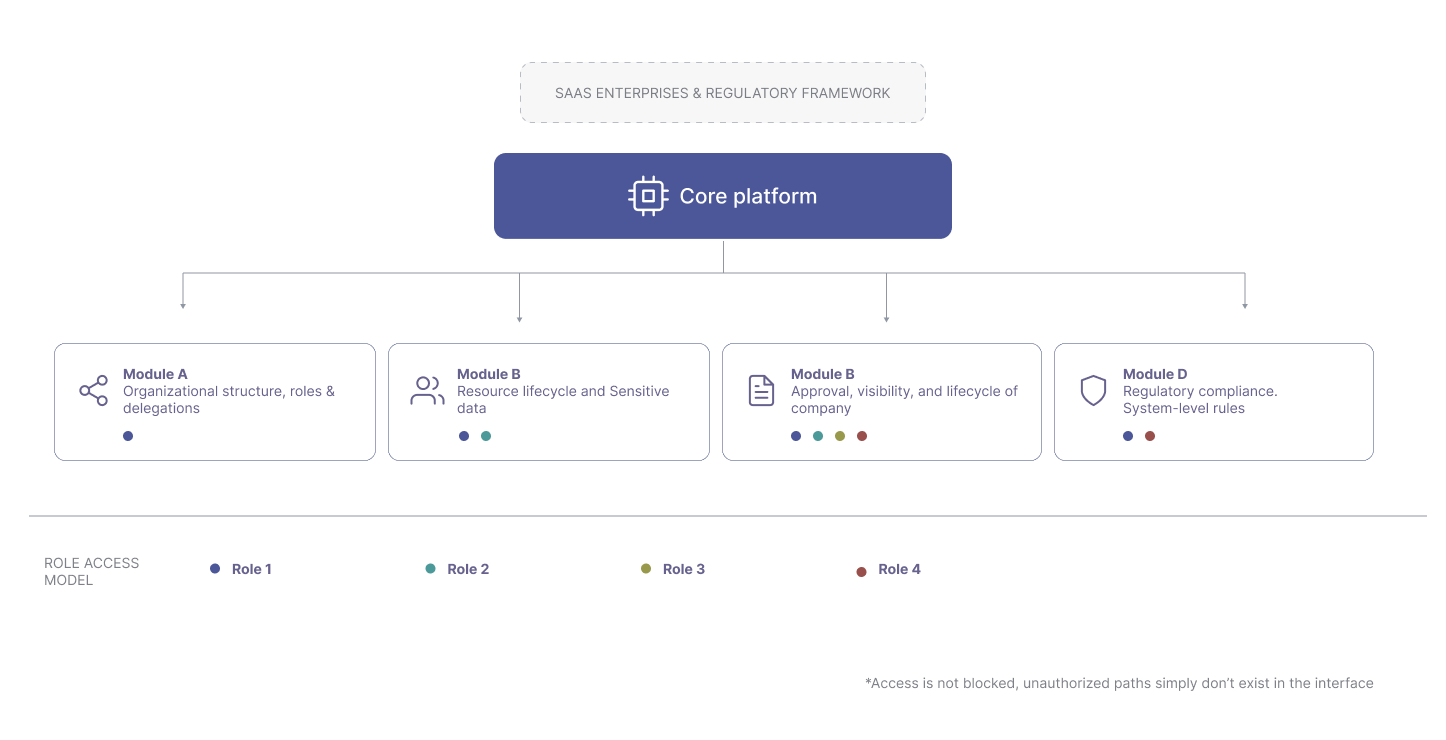
Instead of fixed permission profiles, roles are flexible containers scoped per organisation. The same role can have different access in different contexts — non-technical admins manage it with confidence, no data model knowledge required.
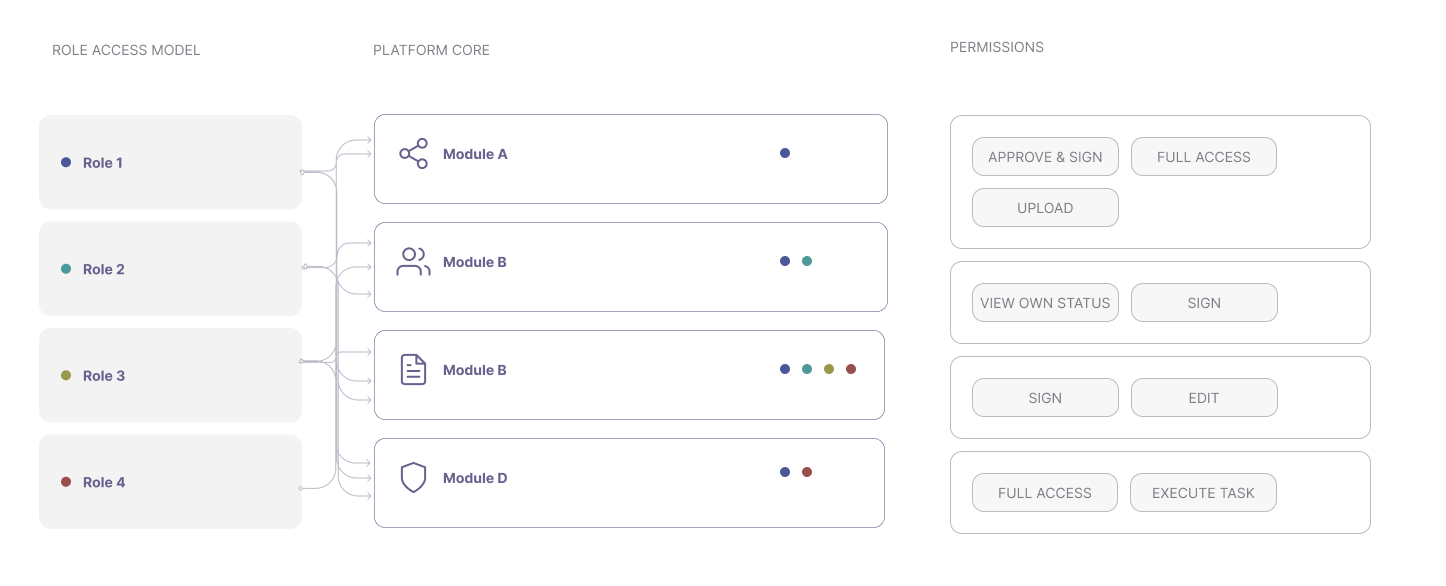
Document assignment, review, approval and signature flow through predefined sequences that enforce correct actor involvement at each step — making it structurally impossible to skip a required action.
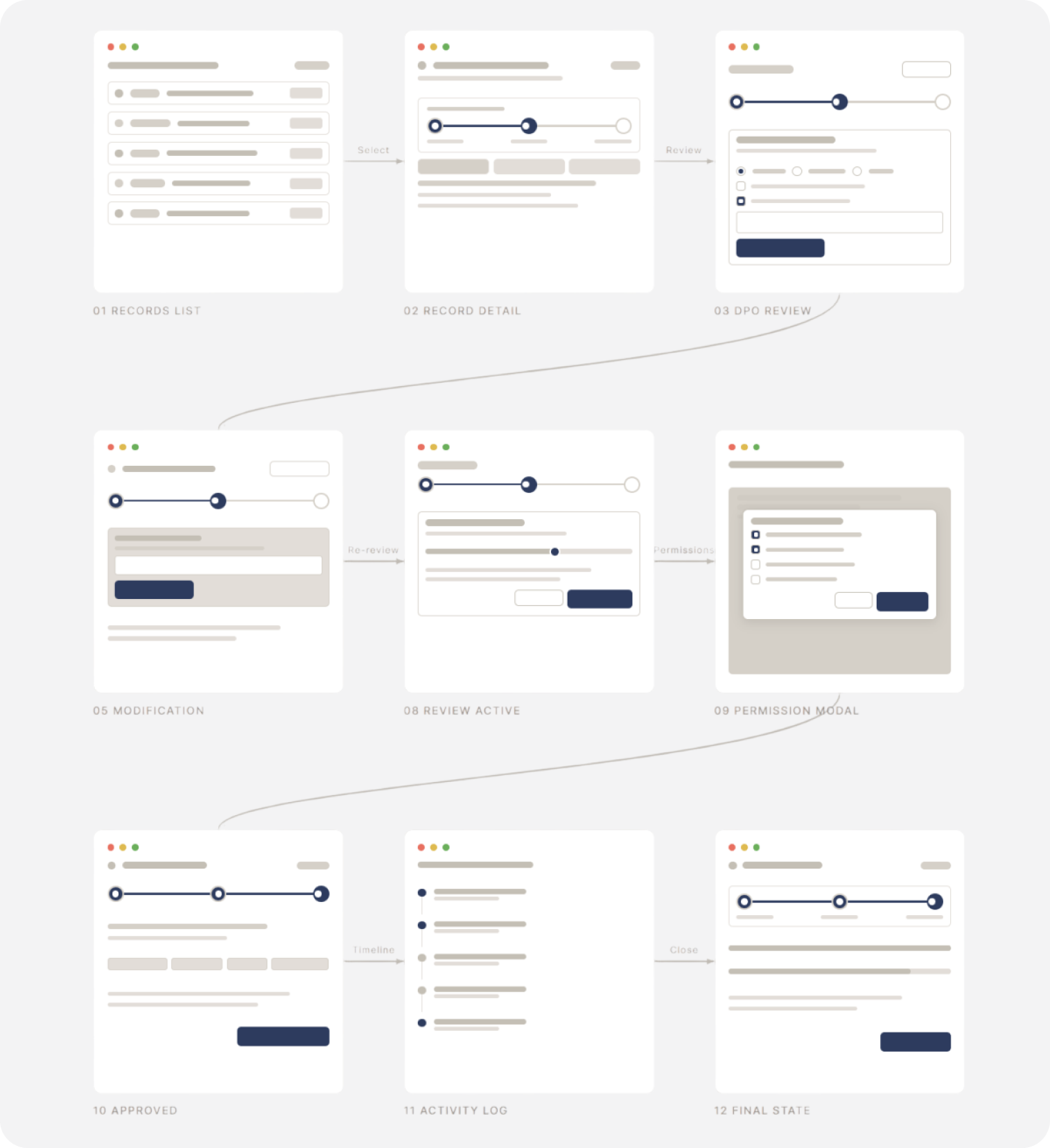
The hardest problem wasn't building the flows — it was making sure they couldn't be broken. In a regulated environment, one skipped step or wrong signature has legal consequences. So the system doesn't ask users to remember the rules. It removes the possibility of breaking them.
Explore the platform in action. Navigate through modules, interact with the compliance dashboard, and see how the system guides users through regulatory workflows step by step.
The result is a compliance-first platform that doesn't compromise usability — because both were treated as hard requirements from the start, not a trade-off.
The platform is in the testing and implementation phase — quantitative metrics will be added once live.